Where do I find my TikTok details?
TikTok needs the Pixel ID and an Events API access token. The token is not optional: TikTok's pixel cannot run inside Shopify's web-pixel sandbox, so without a token nothing is sent at all.
- Pixel ID 20 letters and digits, e.g. DA6QL5JC77U72JPLUHJ0
- Access token a long alphanumeric string
Screenshots are from a live account. Account names, IDs, tokens and email addresses are blanked out — yours will show real values in those places.
-
Choose the account
TikTok asks which account you are working in before it shows you anything. Pick the Ads Manager account for this store — not the Business Center, which is the container that owns it.
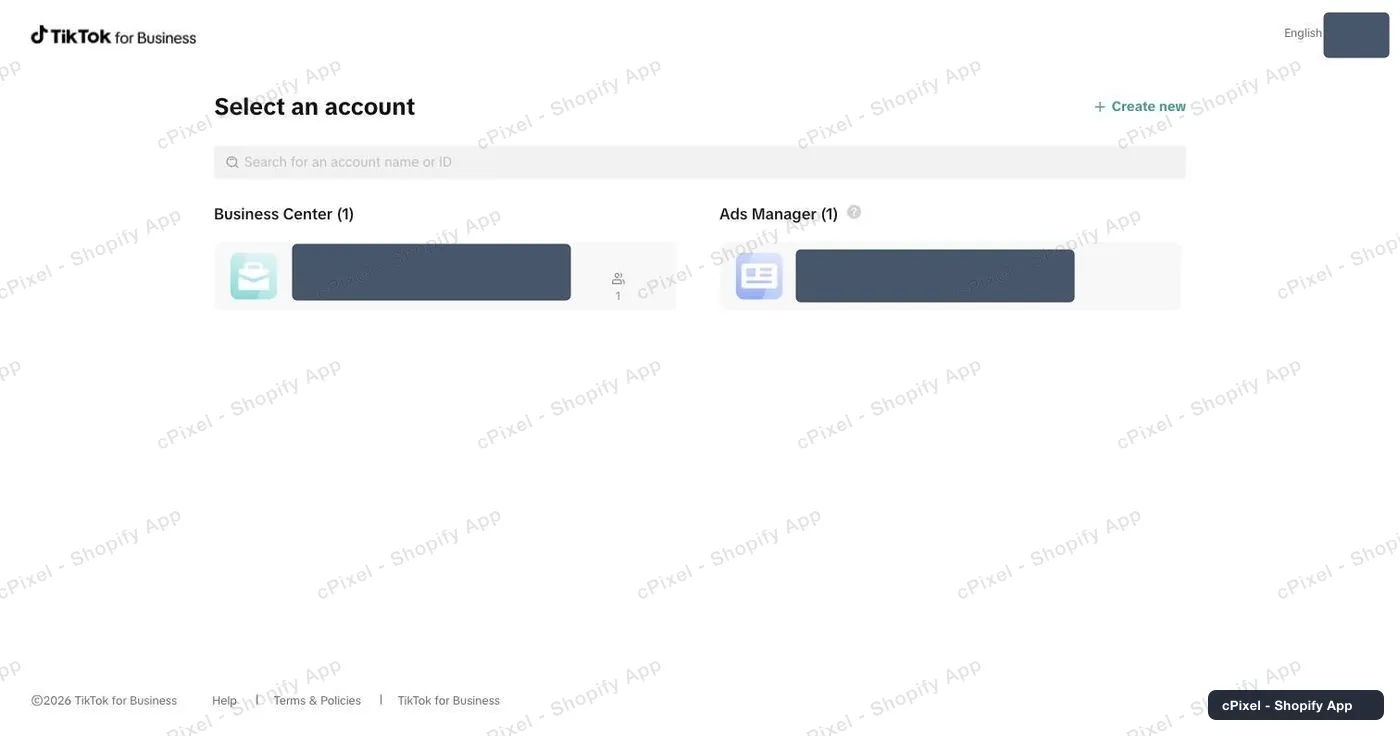
The account picker. Business Center on the left, Ads Manager on the right. -
Switch to Events Manager
TikTok drops you into Ads Manager. Open the grid icon at the very top left and choose Events Manager. Typing an Events Manager URL by hand mostly produces “Page not found”; the switcher is the reliable route.
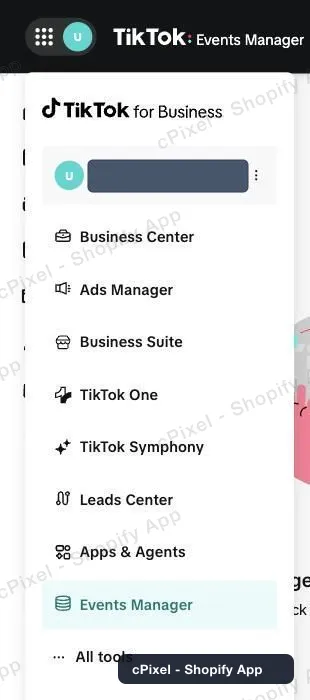
The product switcher, with Events Manager selected. -
Read the Pixel ID from Datasets overview
The Events Manager home page shows Datasets overview on the right, with the Pixel ID printed under each dataset name. It is 20 characters of letters and digits.
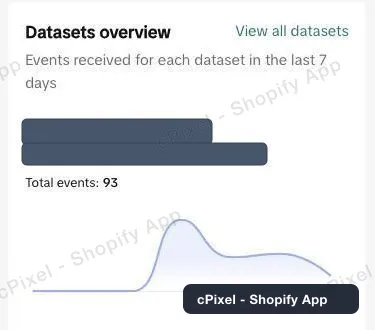
Datasets overview prints the Pixel ID under the dataset name. -
Or open Data sources for the full list
Data sources in the left rail lists every dataset with its Pixel ID and creation time — handy when you have more than one and the overview only shows the busiest.
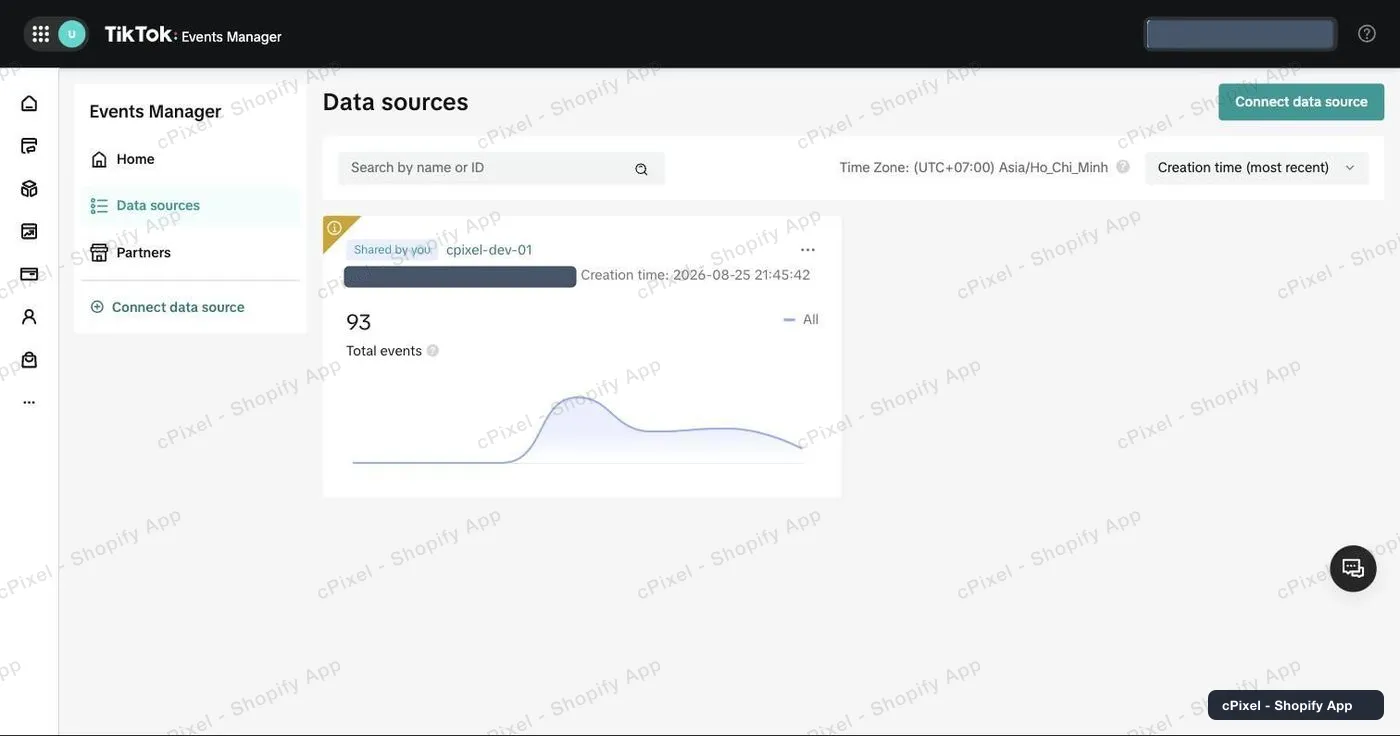
Data sources, one card per dataset. -
Open the dataset's Settings and scroll to Events API
Click the dataset, then Settings → Data connection. Keep scrolling: past Partner integration, past TikTok Pixel's *Option 1: With Event Builder*, past *Option 2: With custom code*. Events API is the block after all of those. Click Generate access token, copy it, and paste it with the Pixel ID into cPixel.
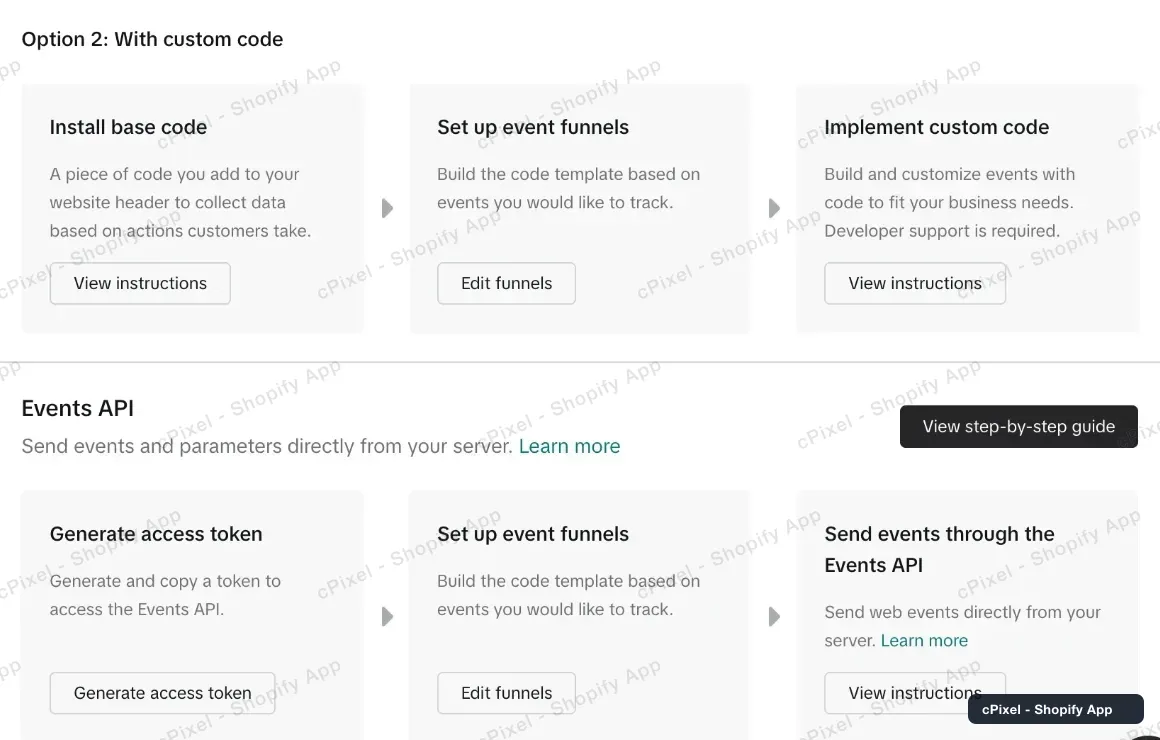
Events API sits below both TikTok Pixel options — it is a long way down a page that gives no hint there is more.
Keep scrolling — Events API is further down than it looks
Data connection opens on Partner integration and TikTok Pixel, and TikTok Pixel alone spans two labelled options with three cards each. It is easy to read that as the whole page and conclude your account cannot mint a token. Events API is below all of it. If you have genuinely scrolled to the bottom and there is no Events API block, then it is a permission problem: the pixel is Business-Center-owned and your seat has analyst rather than pixel-management rights — an analyst can see everything on this page and still not produce a token.
Good to know
- Events can take around 20 minutes to appear in TikTok's Events Manager, so an empty dashboard right after setup is not a failure.
- TikTok deduplicates on event ID for 48 hours, and cPixel sends the same ID on both legs.
- Turning on the cPixel theme app embed adds a browser-side leg as well, which improves match quality but does not replace the token.
Server-side API token Used by cPixel today
You already have it — the Events API access token from step 5 is the server-side credential, and for TikTok it is not optional: TikTok's pixel cannot run in Shopify's web-pixel sandbox, so without the token nothing is sent at all.
Checking it worked
Start a live session in cPixel and browse your store. A zero response code from TikTok means it accepted the event.
TikTok's own documentation
What cPixel is
cPixel is a Shopify app that tracks your store's events and reports them to your ad platforms — from the shopper's browser and from our servers, through each platform's Conversions API. Browser tracking is free and unmetered on every plan; server-side sending is what the paid tiers add, and it is what keeps conversions arriving when a browser blocks the pixel, drops the tag, or never runs it at all.
- One event ID across both legs. Every purchase is sent with the same deterministic id from the browser and from the server, so the platform keeps one conversion instead of counting it twice.
- A live view of every server send. Open a debug session and watch each event as it goes out: the payload, the platform's response, whether it deduplicated, and exactly which match parameters were present. It is on the free plan too — you can see what cPixel sends before you pay for anything.
- Every platform on every plan. Plans differ in one field only: how many orders a month are included. No feature, platform or account limit is tied to price, and up to 10 accounts per platform are available on all of them.
- Nothing to install into your theme. Tracking rides Shopify's own web pixel and app-embed surfaces — no script tags, no theme file edits, and a clean uninstall.
Priced on monthly orders, nothing else — not traffic, not your Shopify plan, not the number of platforms you connect. Free installs get 7 days with no cap at all, and on the paid tiers server-side sending is never switched off for going over.